
Why QR Code Surveys?
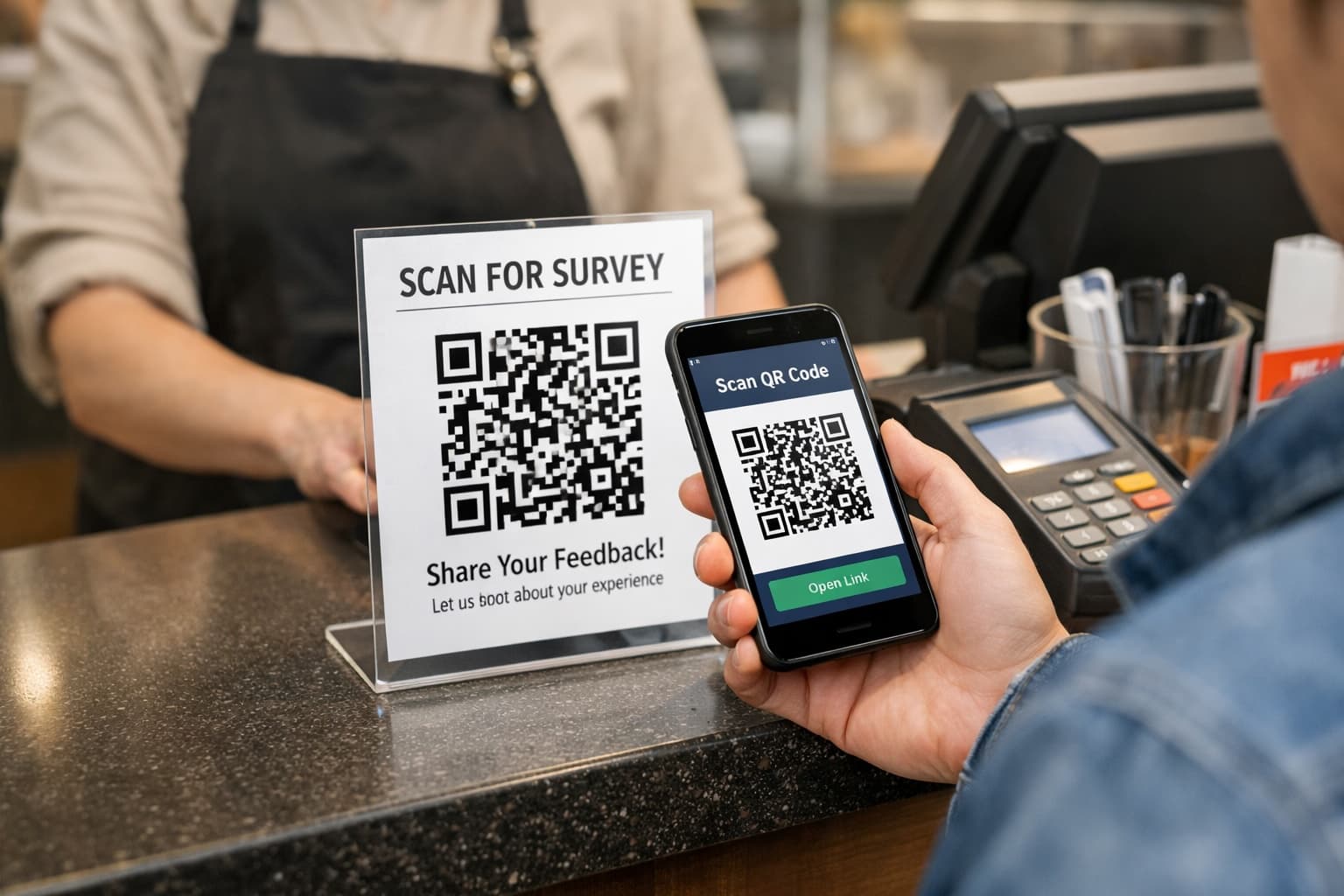
QR code surveys change when you ask, not just how. Instead of a follow-up email that arrives days later or a paper comment card nobody picks up, a QR code captures feedback in the moment, while the experience is still fresh.
Timing is the whole argument, and published benchmarks show how much the channel matters. SurveyMonkey's response-rate benchmarks put offline and kiosk-style surveys, the ones taken on the spot, at the top of the range, well ahead of pop-ups and social distribution. Academic work on QR codes in survey research is more cautious: a statewide experiment reported in Survey Methods: Insights from the Field found that simply printing a QR code on a mail invitation did not by itself lift overall response rates, though it did shift respondents toward mobile. The lesson in both is the same. A QR code helps when it removes a step at the moment someone already wants to answer, and it does little when it is just another way to reach the same delayed survey.
A customer who just finished a great meal is far more likely to tap a rating on their phone than to open an email three days later. That is why the restaurant and retail placements differ so much: the moment you are interrupting is not the same one. And because QR code surveys are mobile-first by design, they meet customers exactly where they already are -- on their phones.
How QR Code Surveys Work
- Create your survey with the questions that matter most
- Generate a unique QR code linked to your survey
- Customize the survey look and feel to match your brand
- Print and place the QR code in strategic locations
- Customers scan and respond in under 60 seconds
- View responses in real-time on your dashboard
- Get notified instantly when new feedback arrives
Choosing the Right Questions
The best QR code surveys are short. Aim for 1-3 questions maximum. Customers are giving you their time voluntarily, so respect it. A single NPS question with an optional comment field often yields better results than a 10-question form that most people will abandon.
Every question you add reduces your completion rate by roughly 10-15%. A one-question survey might get 80% completion; by five questions, you are down to 40%. The math is clear: fewer, better questions give you more data than a long survey that most people quit halfway through.
Tip: Start with a rating question (like NPS or star rating) followed by one open-ended question. This gives you quantitative data for tracking trends and qualitative insights for understanding the why. If you need more detail, add a third question conditionally -- for example, only show a follow-up question to customers who rate below a 7.
Types of QR Code Surveys
- NPS (Net Promoter Score): The gold standard for measuring customer loyalty. One question: "How likely are you to recommend us?" on a 0-10 scale. Simple, benchmarkable, and widely understood
- Star Rating: Familiar and intuitive. Best for quick satisfaction checks. Customers instinctively know what 4 out of 5 stars means
- Customer Satisfaction (CSAT): Measures satisfaction with a specific interaction. "How satisfied were you with your experience today?" Great for tracking service quality over time
- Open-Ended Feedback: A single text box that asks "How can we improve?" or "Tell us about your experience." Yields the richest qualitative insights but requires more effort from the customer
- Multiple Choice: Good for specific operational questions like "How did you hear about us?" or "What was the main reason for your visit today?"
Designing Your Survey for Mobile
Every QR code survey is a mobile experience. Your customers will be viewing and completing your survey on a phone screen, probably while standing or sitting in your business. Design accordingly. Use large tap targets for buttons and rating scales -- a minimum of 44x44 pixels, ideally larger.
Keep text concise and readable without zooming. Use a single-column layout so customers scroll vertically rather than horizontally. Avoid dropdown menus on mobile; they are clunky and slow. Radio buttons and large tappable cards work much better.
Tip: Test your survey on your own phone before deploying it. Scan the QR code, complete the survey, and time yourself. If it takes you more than 30-45 seconds, your customers will feel it takes even longer. Trim until it feels effortless.
Where to Place Your QR Codes
- Restaurants: table tents, receipts, check presenters, menu inserts, restroom doors
- Retail: checkout counter, shopping bags, fitting rooms, product displays, shelf tags
- Services: reception desk, invoices, appointment cards, waiting rooms, email signatures
- Events: registration tables, session rooms, exit areas, lanyards, presentation slides
- Hotels: check-in desk, room key card sleeves, elevator lobbies, in-room guides
- Healthcare: waiting rooms, post-visit summary sheets, pharmacy counters
QR Code Design and Print Best Practices
- Size matters: minimum 1 inch (2.5 cm) for close-range scanning, 6+ inches for projected displays or wall posters
- Contrast: dark code on a light background. Avoid placing QR codes on busy or patterned backgrounds
- Call-to-action: always include text like "How was your visit? Scan to tell us" or "Share your feedback" next to the code
- Quiet zone: leave at least a quarter inch of white space around the QR code on all sides
- Durability: laminate printed materials or use weather-resistant printing for outdoor placements
- Test every code: print it, scan it from the distance customers will be scanning at, and verify the link works
Tip: If you are placing QR codes on table tents or counter cards, consider printing the short URL below the code as a fallback. Some older phones or cracked screens have trouble scanning, and a typed URL keeps those customers from dropping off.
The Review Funnel: Turning Feedback Into Five-Star Reviews
One of the most powerful applications of QR code surveys is the review funnel. Instead of asking every customer to leave a public review (which risks unhappy customers posting negative reviews), you first filter through a private survey. Customers who rate you highly (9-10 on NPS or 4-5 stars) see a prompt to leave a Google or Yelp review. Customers who rate you lower are directed to a private feedback form where you can address their concerns before they become public. This approach typically increases positive review volume by 20-35% while reducing negative public reviews by catching issues privately.
Automating Your Workflow With Webhooks
QR code surveys become even more powerful when connected to your existing tools. Webhooks let you send survey responses to other platforms automatically. When a customer submits feedback, a webhook can instantly notify your team on Slack, add the contact to your CRM, trigger a follow-up email, or update a spreadsheet. For detractor alerts, speed matters -- a webhook that pings your manager within seconds of a low score lets them potentially recover the experience before the customer even leaves the building.
- Slack notifications: Get alerted instantly in a team channel when new feedback arrives
- CRM integration: Automatically create or update customer records with survey data
- Email marketing: Add survey respondents to specific email lists based on their responses
- Spreadsheets: Auto-populate a Google Sheet or Airtable for custom reporting
- Ticketing systems: Create support tickets automatically from low-score responses
Common Mistakes to Avoid
- Asking too many questions: The number one killer of response rates. If your survey takes more than 60 seconds, it is too long
- Poor placement: A QR code on the wall behind the door gets zero scans. Place codes where eyes and phones naturally go
- No call-to-action: A naked QR code without context gets ignored. Always explain what it is and why they should scan
- Forgetting to test: Print a code, scan it, and complete the survey yourself. Then ask someone else to do it. You will catch issues
- Ignoring the data: Collecting feedback and never acting on it is worse than not collecting it. Customers who see no improvement stop responding
- Not closing the loop: When a customer reports a problem, follow up. Even a simple acknowledgment dramatically increases their likelihood of returning
- Set-and-forget mentality: Review your survey questions quarterly. What you needed to learn six months ago may not be what matters now
Privacy, Compliance, and Trust
Customers are increasingly aware of data privacy. Be transparent about what you collect and how you use it. QR code surveys should collect only what you need. In most cases, that means the survey response itself plus a timestamp -- no names, no emails, no personal data unless the customer voluntarily provides it.
If you do collect personal information, include a brief privacy note on the survey. For businesses operating in regions covered by GDPR, CCPA, or similar regulations, ensure your survey platform provides proper data handling, storage controls, and the ability to delete individual responses on request.
Measuring Success
- Response rate: Responses divided by foot traffic or transactions. Aim for 5-15% initially, with a goal of reaching 15-25% through placement optimization
- Completion rate: How many people who start the survey finish it. Below 70% means your survey is too long or poorly designed
- Score trends: Track your NPS or average rating on a rolling 30-day basis. Single-day scores are noisy; trends are signal
- Response volume: Are you getting enough responses to be statistically meaningful? Aim for at least 30-50 responses before drawing conclusions
- Sentiment themes: What topics come up repeatedly in open-ended responses? These are your biggest opportunities
- Time-of-day patterns: Do scores differ between morning and evening? Weekday versus weekend? This reveals operational insights
Tip: Set up a weekly review ritual. Every Monday, spend 15 minutes reviewing the previous week's feedback. Look for the three most common themes, check your score trend, and pick one actionable improvement to focus on. Consistency beats intensity -- small weekly improvements compound into major gains over months.
Industry Benchmarks: What Good Looks Like
- Restaurants: Average NPS of 40-60 is strong. Response rates of 12-18% from table tents are typical. Aim for 20+ responses per week per location
- Retail: Average NPS of 30-50. Response rates of 5-10% from checkout placements. Product-specific feedback tends to score higher than general store experience
- Professional Services: Average NPS of 50-70 (higher because of personal relationships). Response rates of 15-25% from appointment follow-ups
- Healthcare: Average NPS of 30-50. Response rates of 8-15%. Post-visit surveys outperform waiting room surveys 3-to-1
- Events: Average NPS varies widely by event quality. Response rates of 10-20% from session room placements. Exit surveys capture different sentiment than mid-event surveys
Getting Started: Your First Week
- Day 1: Create your account and set up your first survey. Start with a single NPS question and one optional comment field
- Day 2: Generate your QR code and print 5-10 copies. Place them in your two highest-traffic locations
- Day 3-5: Let responses come in. Resist the urge to change anything yet. You need a baseline
- Day 6: Review your first batch of responses. Note the response rate and any patterns in the feedback
- Day 7: Make one adjustment based on what you learned -- a better placement, a refined question, or an operational change based on feedback
Tip: Do not overthink your first survey. You can always edit it later. The biggest mistake is spending a week perfecting questions instead of getting real feedback from real customers. Launch something simple, learn from it, and iterate.